本文最后更新于:2025年11月28日 中午

旋转矩阵用于表示3D空间中的旋转, 本文记录基于欧拉角的旋转矩阵来由以及基于 2D 旋转矩阵的推导。

基本概念

旋转矩阵用于表示3D空间中的旋转。它是一个3x3的正交矩阵,行列式为1。旋转矩阵可以将一个向量从一个坐标系旋转到另一个坐标系。

形如:

$A$ 为旋转矩阵, 是特殊的单位基,互相正交, 模长为1.

但是这种混乱的数字表达不利于人类直观理解, 我们常用欧拉角来描述姿态:

1
2
3
rx  ->  roll   ->  r  ->  横滚角
ry -> pitch -> p -> 俯仰角
rz -> yaw -> y -> 偏航角

那么欧拉角就将姿态定义解藕为3次围绕固定世界坐标轴的旋转.

有两种常见的旋转顺序(不同顺序导致的旋转结果不同):

  • XYZ顺序:先绕X轴,再绕Y轴,最后绕Z轴
  • ZYX顺序:先绕Z轴,再绕Y轴,最后绕X轴

旋转角度以右手法则为准, 拇指指向轴向, 四指环绕方向为正.

以 rz 旋转为例, 假设角度为 $\theta$

从 $(x_1, y_1)$ 到 $(x_2, y_2)$, 逆时针转 $\theta$ 角, 模长 $l$, 有:
$$
\begin{array} c
x_1 = \cos \beta l\
y_1 = \sin \beta l\
x_2 = \cos (\beta + \theta)l\
y_2 = \sin (\beta + \theta)l\

\end{array}
$$
得到:
$$
\begin{array} c
x_2 = \cos \beta \cos \theta l - \sin \beta \sin \theta l\
=\cos \beta x_1 - \sin \beta y_1\
y_2 = \sin \beta \cos \theta l + \cos \beta \sin \theta l\
= \sin \beta x_1 + \cos \beta y_1
\end{array}
$$
那么来到 3D 围绕三个坐标轴也就是:

绕X轴旋转θ角:

1
2
3
R_x(θ) = [1,     0,      0;
0, cos(θ), -sin(θ);
0, sin(θ), cos(θ)]

绕Y轴旋转θ角:

1
2
3
R_y(θ) = [cos(θ),  0, sin(θ);
0, 1, 0;
-sin(θ), 0, cos(θ)]

绕Z轴旋转θ角:

1
2
3
R_z(θ) = [cos(θ), -sin(θ), 0;
sin(θ), cos(θ), 0;
0, 0, 1]

左乘右乘

在3D变换中,矩阵乘法的顺序决定了变换是相对于固定坐标系还是物体自身坐标系

特性 左乘 (Pre-multiplication) 右乘 (Post-multiplication)
数学表示 $P′=T_n⋯T_2⋅T_1⋅P $ ( $P$ 为列向量) $P′=P⋅T_1⋅T_2⋯T_n$ ( $P$ 为行向量)
参考系 固定(世界)坐标系 动(物体)坐标系
变换顺序 从右向左应用 从左向右应用
物理意义 在固定参考系中按顺序变换 基于物体自身坐标系连续变换

左乘 (固定坐标系)

  • 每次变换都是相对于原始世界坐标系执行。
  • 变换矩阵 $T_1,T_2,T_3$ 都基于世界坐标系定义。
  • 例如,先旋转后平移:物体先绕世界坐标原点旋转,然后沿世界坐标轴平移。

那为什么一定得是先旋转后平移呢, 因为数学上:

  • 平移矩阵 $T$

$$
T = \begin{bmatrix}
1 & 0 & 0 & x \
0 & 1 & 0 & y \
0 & 0 & 1 & z \
0 & 0 & 0 & 1
\end{bmatrix}
$$

  • 旋转矩阵 $R$

$$
R = \begin{bmatrix}
a & b & c & 0 \
d & e & f & 0 \
g & h & i & 0 \
0 & 0 & 0 & 1
\end{bmatrix}
$$

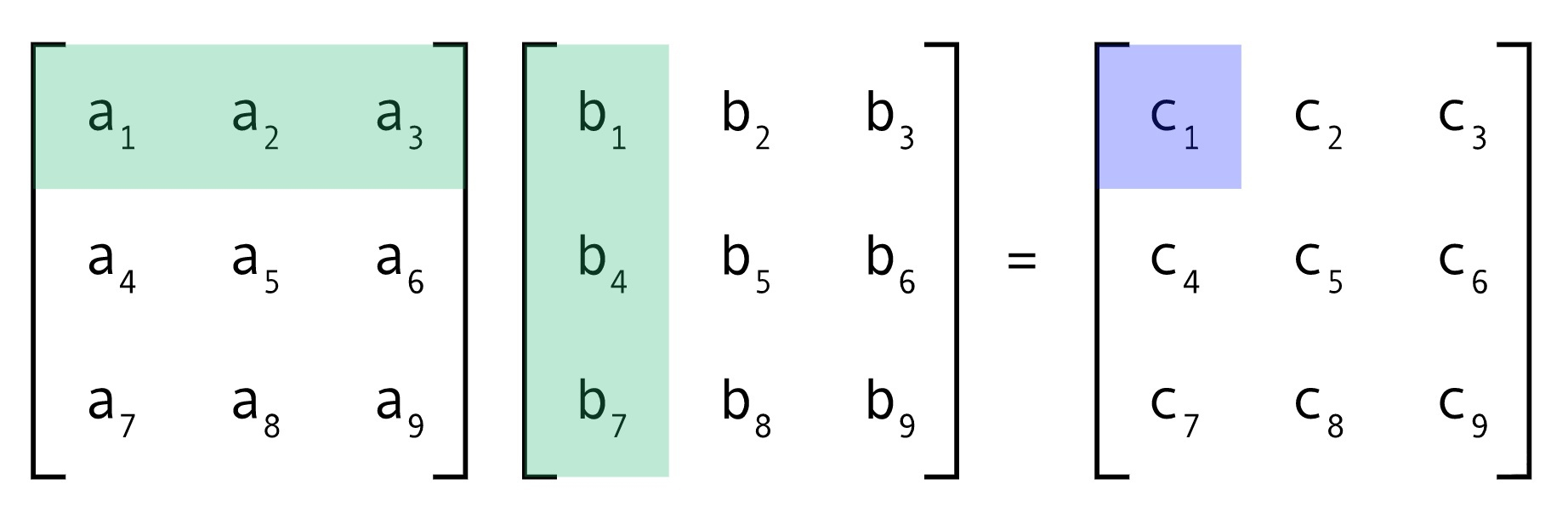
  • 左乘过程:$T \times R$

$$
T \times R = \begin{bmatrix}
1 & 0 & 0 & x \
0 & 1 & 0 & y \
0 & 0 & 1 & z \
0 & 0 & 0 & 1
\end{bmatrix} \times
\begin{bmatrix}
a & b & c & 0 \
d & e & f & 0 \
g & h & i & 0 \
0 & 0 & 0 & 1
\end{bmatrix}
$$

  • 计算得到:

$$
T \times R = \begin{bmatrix}
a & b & c & x \
d & e & f & y \
g & h & i & z \
0 & 0 & 0 & 1
\end{bmatrix}
$$

  • 最终齐次变换矩阵

$$
\text{齐次矩阵} = \begin{bmatrix}
a & b & c & x \
d & e & f & y \
g & h & i & z \
0 & 0 & 0 & 1
\end{bmatrix}
$$

也就是齐次变换矩阵事实上实现的是左乘的基于世界坐标系坐标轴的先旋转, 再平移.

也就是 :
$$
齐次矩阵= T \times R_z \times R_y \times R_x
$$

右乘 (物体坐标系)

  • 每次变换基于前一个变换后的新坐标系
  • 变换矩阵基于物体当前坐标系定义。
  • 例如,先平移后旋转:物体先沿自身坐标轴平移,然后绕自身坐标原点旋转。

Python Open3D 示例代码

1
2
3
4
5
6
7
8
9
10
11
12
13
14
15
16
17
18
19
20
21
22
23
24
25
26
27
28
29
30
31
32
33
34
35
36
37
38
39
40
41
42
43
44
45
46
47
48
49
50
51
52
53
54
55
56
57
58
59
60
61
62
63
64
65
66
67
68
69
70
71
72
73
74
75
76
77
78
79
80
81
82
83
84
85
86
87
88
89
90
91
92
93
94
95
96
97
98
99
100
101
102
103
104
105
106
107
108
109
110
111
112
113
114
115
116
117
118
119
120
121
122
123
124
125
126
127
128
129
130
131
132
133
134
135
136
137
138
139
140
141
142
143
144
145
146
147
148
149
150
151
152
153
154
155
156
157
158
159
160
161
162
163
164
165
166
167
168
169
170
171
172
173
174
175
176
177
178
179
180
181
182
183
184
185
186
187
188
189
190
191
192
193
194
195
196
197
198
199
200
201
202
203
204
205
206
207
208
209
210
211
212
213
214
215
216
217
218
219
220
221
222
223
224
225
226
227
228
229
230
231
232
233
234
235
236
237
238
239
240
241
242
import open3d as o3d
import numpy as np
import copy
import math

def create_coordinate_system(size=1.0, origin=[0, 0, 0]):
"""创建坐标系"""
coord = o3d.geometry.TriangleMesh.create_coordinate_frame(size=size, origin=origin)
return coord

def create_colored_cube(width=1.0, height=0.5, depth=0.3, color=[0.5, 0.5, 0.5]):
"""创建带颜色的立方体"""
cube = o3d.geometry.TriangleMesh.create_box(width=width, height=height, depth=depth)
cube.compute_vertex_normals()
cube.paint_uniform_color(color)
return cube

def get_rotation_matrix_x(angle):
"""绕X轴旋转矩阵"""
return np.array([
[1, 0, 0, 0],
[0, math.cos(angle), -math.sin(angle), 0],
[0, math.sin(angle), math.cos(angle), 0],
[0, 0, 0, 1]
])

def get_rotation_matrix_y(angle):
"""绕Y轴旋转矩阵"""
return np.array([
[math.cos(angle), 0, math.sin(angle), 0],
[0, 1, 0, 0],
[-math.sin(angle), 0, math.cos(angle), 0],
[0, 0, 0, 1]
])

def get_rotation_matrix_z(angle):
"""绕Z轴旋转矩阵"""
return np.array([
[math.cos(angle), -math.sin(angle), 0, 0],
[math.sin(angle), math.cos(angle), 0, 0],
[0, 0, 1, 0],
[0, 0, 0, 1]
])

def get_translation_matrix(tx, ty, tz):
"""平移矩阵"""
return np.array([
[1, 0, 0, tx],
[0, 1, 0, ty],
[0, 0, 1, tz],
[0, 0, 0, 1]
])

def build_euler_transform_matrix(euler_angles, translation, order='xyz'):
"""
使用欧拉角构建变换矩阵

参数:
euler_angles: [rx, ry, rz] 欧拉角(弧度)
translation: [tx, ty, tz] 平移向量
order: 旋转顺序 ('xyz', 'zyx'等)

返回:
4x4变换矩阵
"""
rx, ry, rz = euler_angles
tx, ty, tz = translation

# 根据旋转顺序构建旋转矩阵
if order == 'xyz':
R_x = get_rotation_matrix_x(rx)
R_y = get_rotation_matrix_y(ry)
R_z = get_rotation_matrix_z(rz)
R = R_z @ R_y @ R_x # XYZ顺序: 先X, 再Y, 最后Z
elif order == 'zyx':
R_x = get_rotation_matrix_x(rx)
R_y = get_rotation_matrix_y(ry)
R_z = get_rotation_matrix_z(rz)
R = R_x @ R_y @ R_z # ZYX顺序: 先Z, 再Y, 最后X
else:
# 默认使用XYZ顺序
R_x = get_rotation_matrix_x(rx)
R_y = get_rotation_matrix_y(ry)
R_z = get_rotation_matrix_z(rz)
R = R_z @ R_y @ R_x

# 构建平移矩阵
T = get_translation_matrix(tx, ty, tz)

# 组合变换矩阵 (先旋转后平移)
transform_matrix = T @ R

return transform_matrix

def demonstrate_euler_transform():
"""
演示欧拉角变换矩阵与分步变换的对比
"""
print("=== 欧拉角变换矩阵与分步变换对比 ===")

# 创建原始物体和坐标系
original_cube = create_colored_cube(color=[0.8, 0.8, 0.8])
world_coord = create_coordinate_system(size=1.0)

# 定义变换参数
rotation_angle = math.pi / 2 # 90度
translation_distance = 2.0

# 分步变换 (你的代码)
cube_1 = copy.deepcopy(original_cube)
R_z = get_rotation_matrix_z(rotation_angle) # 绕世界Z轴旋转
R_x = get_rotation_matrix_x(rotation_angle) # 绕世界X轴旋转
R_y = get_rotation_matrix_y(rotation_angle) # 绕世界Y轴旋转

cube_1.transform(R_x)
cube_1.paint_uniform_color([0.5, 0, 0]) # 暗红色:X旋转后

cube_2 = copy.deepcopy(cube_1)
cube_2.transform(R_y)
cube_2.paint_uniform_color([0, 0.5, 0]) # 暗绿色:Y旋转后

cube_3 = copy.deepcopy(cube_2)
cube_3.transform(R_z)
cube_3.paint_uniform_color([0, 0, 0.5]) # 暗蓝色:Z旋转后

cube_4 = copy.deepcopy(cube_3)
T_x = get_translation_matrix(translation_distance, 0, 0) # 沿世界X轴平移
cube_4.transform(T_x)
cube_4.paint_uniform_color([0.5, 0.5, 0.5]) # 灰色:X平移后

cube_5 = copy.deepcopy(cube_4)
T_y = get_translation_matrix(0, translation_distance, 0) # 沿世界Y轴平移
cube_5.transform(T_y)
cube_5.paint_uniform_color([0.5, 0.2, 0.9]) # 紫色:最终结果

# 使用欧拉角构建变换矩阵
euler_angles = [rotation_angle, rotation_angle, rotation_angle] # [rx, ry, rz]
translation = [translation_distance, translation_distance, 0] # [tx, ty, tz]

# 构建变换矩阵 (注意:你的分步顺序是 X旋转 -> Y旋转 -> Z旋转 -> X平移 -> Y平移)
# 这对应于欧拉角顺序 XYZ 和 平移 [tx, ty, 0]
transform_matrix = build_euler_transform_matrix(euler_angles, translation, order='xyz')

# 应用变换矩阵
cube_matrix = copy.deepcopy(original_cube)
cube_matrix.transform(transform_matrix)
cube_matrix.paint_uniform_color([1, 1, 0]) # 黄色:矩阵变换结果

# 计算分步变换的等效矩阵
# 注意:你的分步顺序是 R_x -> R_y -> R_z -> T_x -> T_y
# 在左乘系统中,这对应于:T_y @ T_x @ R_z @ R_y @ R_x
step_by_step_matrix = T_y @ T_x @ R_z @ R_y @ R_x

# 应用分步等效矩阵
cube_step_matrix = copy.deepcopy(original_cube)
cube_step_matrix.transform(step_by_step_matrix)
cube_step_matrix.paint_uniform_color([0, 1, 1]) # 青色:分步等效矩阵结果

# 可视化
geometries = [
world_coord,
original_cube,
cube_1, cube_2, cube_3, cube_4, cube_5, # 分步变换
cube_matrix, # 欧拉角矩阵变换
cube_step_matrix # 分步等效矩阵
]

# 打印矩阵信息
print(f"欧拉角: {[math.degrees(a) for a in euler_angles]} 度")
print(f"平移: {translation}")
print(f"欧拉角变换矩阵:\n{transform_matrix}")
print(f"分步等效矩阵:\n{step_by_step_matrix}")
print(f"矩阵是否相等: {np.allclose(transform_matrix, step_by_step_matrix)}")

# 可视化
o3d.visualization.draw_geometries(
geometries,
window_name="欧拉角变换对比\n"
"灰色=原始, 暗红=X旋转, 暗绿=Y旋转, 暗蓝=Z旋转\n"
"灰色=X平移, 紫色=Y平移(最终), 黄色=欧拉角矩阵, 青色=分步等效矩阵",
width=1000, height=800
)

return transform_matrix, step_by_step_matrix

def demonstrate_different_euler_orders():
"""
演示不同欧拉角顺序的影响
"""
print("\n=== 不同欧拉角顺序对比 ===")

# 创建原始物体和坐标系
original_cube = create_colored_cube(color=[0.8, 0.8, 0.8])
world_coord = create_coordinate_system(size=1.0)

# 定义变换参数
euler_angles = [math.pi/4, math.pi/6, math.pi/3] # 45°, 30°, 60°
translation = [1.5, 1.0, 0]

# 不同欧拉角顺序的变换矩阵
T_xyz = build_euler_transform_matrix(euler_angles, translation, order='xyz')
T_zyx = build_euler_transform_matrix(euler_angles, translation, order='zyx')
T_xzy = build_euler_transform_matrix(euler_angles, translation, order='xzy')

# 应用变换
cube_xyz = copy.deepcopy(original_cube)
cube_xyz.transform(T_xyz)
cube_xyz.paint_uniform_color([1, 0, 0]) # 红色

cube_zyx = copy.deepcopy(original_cube)
cube_zyx.transform(T_zyx)
cube_zyx.paint_uniform_color([0, 1, 0]) # 绿色

cube_xzy = copy.deepcopy(original_cube)
cube_xzy.transform(T_xzy)
cube_xzy.paint_uniform_color([0, 0, 1]) # 蓝色

# 可视化
geometries = [world_coord, original_cube, cube_xyz, cube_zyx, cube_xzy]

print("不同欧拉角顺序对比:")
print(f"欧拉角: {[math.degrees(a) for a in euler_angles]} 度")
print(f"平移: {translation}")
print("红色=XYZ顺序, 绿色=ZYX顺序, 蓝色=XZY顺序")

o3d.visualization.draw_geometries(
geometries,
window_name="不同欧拉角顺序对比",
width=800, height=600
)

if __name__ == "__main__":
# 演示欧拉角变换矩阵与分步变换对比
transform_matrix, step_by_step_matrix = demonstrate_euler_transform()


print("\n" + "="*50)
print("关键要点总结:")
print("1. 欧拉角变换矩阵可以一次性表示复杂的旋转和平移")
print("2. 旋转顺序对最终结果有重要影响")
print("3. 分步变换的等效矩阵可以通过矩阵乘法得到")
print("4. 使用变换矩阵比手动分步更高效且不易出错")

欧拉角与矩阵转化

1
2
3
4
5
6
7
8
9
10
11
12
13
14
15
16
17
18
19
20
21
22
23
24
25
26
27
28
29
30
31
32
33
34
35
36
37
38
39
40
41
42
43
44
45
46
47
48
49
50
51
52
53
54
55
56
57
58
59
60
61
62
63
64
65
66
67
68
69
70
71
72
73
74
75
76
77
78
79
80
81
82
83
84
85
86
87
88
89
90
91
92
93
94
95
96
97
98
99
100
101
102
103
104
105
106
107
108
109
110
111
112
113
114
115
116
117
118
119
120
121
122
import open3d as o3d
import numpy as np
from scipy.spatial.transform import Rotation as R
import copy

def verify_euler_transform(original_matrix, order='xyz', degrees=False):
"""
验证齐次矩阵与欧拉角之间的正反转换

参数:
original_matrix: 4x4齐次变换矩阵
order: 欧拉角顺序,如'xyz', 'zyx'等
degrees: 是否使用角度制,False表示弧度制
"""
print("=" * 60)
print(f"欧拉角顺序: {order}, 使用{'角度' if degrees else '弧度'}制")
print("=" * 60)

# 提取旋转部分 (3x3)
original_rotation = original_matrix[0:3, 0:3]

# 步骤1: 旋转矩阵转欧拉角
# 使用scipy的Rotation类进行转换 (更稳定)
rotation_obj = R.from_matrix(original_rotation)
euler_angles = rotation_obj.as_euler(order, degrees=degrees)

print(f"原始旋转矩阵:\n{original_rotation}")
print(f"提取的欧拉角: {euler_angles}")

# 步骤2: 欧拉角转回旋转矩阵
reconstructed_rotation_obj = R.from_euler(order, euler_angles, degrees=degrees)
reconstructed_rotation = reconstructed_rotation_obj.as_matrix()

print(f"重建的旋转矩阵:\n{reconstructed_rotation}")

# 步骤3: 构建重建的齐次矩阵
reconstructed_matrix = np.eye(4)
reconstructed_matrix[0:3, 0:3] = reconstructed_rotation
reconstructed_matrix[0:3, 3] = original_matrix[0:3, 3] # 保持原平移

print(f"原始齐次矩阵:\n{original_matrix}")
print(f"重建齐次矩阵:\n{reconstructed_matrix}")

# 验证精度
rotation_error = np.max(np.abs(original_rotation - reconstructed_rotation))
matrix_error = np.max(np.abs(original_matrix - reconstructed_matrix))

print(f"旋转矩阵最大误差: {rotation_error:.10f}")
print(f"齐次矩阵最大误差: {matrix_error:.10f}")
print(f"转换是否精确: {np.allclose(original_matrix, reconstructed_matrix, atol=1e-10)}")

return euler_angles, reconstructed_matrix, rotation_error

def demonstrate_with_different_orders():
"""使用不同的欧拉角顺序进行演示"""

# 创建一个有意义的初始齐次矩阵 (包含旋转和平移)
original_matrix = np.eye(4)

# 设置一个包含三个轴旋转的变换
# 绕X轴旋转30度,Y轴旋转45度,Z轴旋转60度
angles_deg = [30, 45, 60]
angles_rad = [np.radians(a) for a in angles_deg]

# 分别创建三个轴的旋转矩阵
Rx = np.array([
[1, 0, 0, 0],
[0, np.cos(angles_rad[0]), -np.sin(angles_rad[0]), 0],
[0, np.sin(angles_rad[0]), np.cos(angles_rad[0]), 0],
[0, 0, 0, 1]
])

Ry = np.array([
[np.cos(angles_rad[1]), 0, np.sin(angles_rad[1]), 0],
[0, 1, 0, 0],
[-np.sin(angles_rad[1]), 0, np.cos(angles_rad[1]), 0],
[0, 0, 0, 1]
])

Rz = np.array([
[np.cos(angles_rad[2]), -np.sin(angles_rad[2]), 0, 0],
[np.sin(angles_rad[2]), np.cos(angles_rad[2]), 0, 0],
[0, 0, 1, 0],
[0, 0, 0, 1]
])

# 组合旋转 (ZYX顺序: 先Z, 再Y, 最后X)
original_matrix = Rx @ Ry @ Rz
original_matrix[0:3, 3] = [1.0, 2.0, 3.0] # 设置平移

print("创建测试齐次矩阵:")
print(f"预设欧拉角: X={angles_deg[0]}°, Y={angles_deg[1]}°, Z={angles_deg[2]}°")
print(f"平移向量: [1.0, 2.0, 3.0]")
print()

# 测试不同的欧拉角顺序
orders = ['xyz', 'zyx', 'yxz', 'zxy']

results = {}
for order in orders:
euler_angles, reconstructed_matrix, error = verify_euler_transform(
original_matrix, order=order, degrees=False
)
results[order] = {
'euler_angles': euler_angles,
'error': error,
'success': error < 1e-10
}
print()

# 总结结果
print("不同欧拉角顺序的转换结果总结:")
for order, result in results.items():
status = "✓ 成功" if result['success'] else "✗ 失败"
angles_deg = np.degrees(result['euler_angles'])
print(f"顺序 {order}: {status}, 欧拉角: [{angles_deg[0]:.2f}°, {angles_deg[1]:.2f}°, {angles_deg[2]:.2f}°]")


if __name__ == "__main__":
# 不同欧拉角顺序的转换
demonstrate_with_different_orders()

  • 运行结果
1
2
3
4
5
6
7
8
9
10
11
12
13
14
15
16
17
18
19
20
21
22
23
24
25
26
27
28
29
30
31
32
33
34
35
36
37
38
39
40
41
42
43
44
45
46
47
48
49
50
51
52
53
54
55
56
57
58
59
60
61
62
63
64
65
66
67
68
69
70
71
72
73
74
75
76
77
78
79
80
81
82
83
84
85
86
87
88
89
90
91
92
93
94
95
96
97
98
99
100
101
102
103
104
105
106
107
108
109
110
111
112
113
创建测试齐次矩阵:
预设欧拉角: X=30°, Y=45°, Z=60°
平移向量: [1.0, 2.0, 3.0]

============================================================
欧拉角顺序: xyz, 使用弧度制
============================================================
原始旋转矩阵:
[[ 0.35355339 -0.61237244 0.70710678]
[ 0.9267767 0.12682648 -0.35355339]
[ 0.12682648 0.78033009 0.61237244]]
提取的欧拉角: [ 0.90541692 -0.12716897 1.20635047]
重建的旋转矩阵:
[[ 0.35355339 -0.61237244 0.70710678]
[ 0.9267767 0.12682648 -0.35355339]
[ 0.12682648 0.78033009 0.61237244]]
原始齐次矩阵:
[[ 0.35355339 -0.61237244 0.70710678 1. ]
[ 0.9267767 0.12682648 -0.35355339 2. ]
[ 0.12682648 0.78033009 0.61237244 3. ]
[ 0. 0. 0. 1. ]]
重建齐次矩阵:
[[ 0.35355339 -0.61237244 0.70710678 1. ]
[ 0.9267767 0.12682648 -0.35355339 2. ]
[ 0.12682648 0.78033009 0.61237244 3. ]
[ 0. 0. 0. 1. ]]
旋转矩阵最大误差: 0.0000000000
齐次矩阵最大误差: 0.0000000000
转换是否精确: True

============================================================
欧拉角顺序: zyx, 使用弧度制
============================================================
原始旋转矩阵:
[[ 0.35355339 -0.61237244 0.70710678]
[ 0.9267767 0.12682648 -0.35355339]
[ 0.12682648 0.78033009 0.61237244]]
提取的欧拉角: [1.04719755 0.78539816 0.52359878]
重建的旋转矩阵:
[[ 0.35355339 -0.61237244 0.70710678]
[ 0.9267767 0.12682648 -0.35355339]
[ 0.12682648 0.78033009 0.61237244]]
原始齐次矩阵:
[[ 0.35355339 -0.61237244 0.70710678 1. ]
[ 0.9267767 0.12682648 -0.35355339 2. ]
[ 0.12682648 0.78033009 0.61237244 3. ]
[ 0. 0. 0. 1. ]]
重建齐次矩阵:
[[ 0.35355339 -0.61237244 0.70710678 1. ]
[ 0.9267767 0.12682648 -0.35355339 2. ]
[ 0.12682648 0.78033009 0.61237244 3. ]
[ 0. 0. 0. 1. ]]
旋转矩阵最大误差: 0.0000000000
齐次矩阵最大误差: 0.0000000000
转换是否精确: True

============================================================
欧拉角顺序: yxz, 使用弧度制
============================================================
原始旋转矩阵:
[[ 0.35355339 -0.61237244 0.70710678]
[ 0.9267767 0.12682648 -0.35355339]
[ 0.12682648 0.78033009 0.61237244]]
提取的欧拉角: [-0.20421957 0.89519347 1.36657676]
重建的旋转矩阵:
[[ 0.35355339 -0.61237244 0.70710678]
[ 0.9267767 0.12682648 -0.35355339]
[ 0.12682648 0.78033009 0.61237244]]
原始齐次矩阵:
[[ 0.35355339 -0.61237244 0.70710678 1. ]
[ 0.9267767 0.12682648 -0.35355339 2. ]
[ 0.12682648 0.78033009 0.61237244 3. ]
[ 0. 0. 0. 1. ]]
重建齐次矩阵:
[[ 0.35355339 -0.61237244 0.70710678 1. ]
[ 0.9267767 0.12682648 -0.35355339 2. ]
[ 0.12682648 0.78033009 0.61237244 3. ]
[ 0. 0. 0. 1. ]]
旋转矩阵最大误差: 0.0000000000
齐次矩阵最大误差: 0.0000000000
转换是否精确: True

============================================================
欧拉角顺序: zxy, 使用弧度制
============================================================
原始旋转矩阵:
[[ 0.35355339 -0.61237244 0.70710678]
[ 0.9267767 0.12682648 -0.35355339]
[ 0.12682648 0.78033009 0.61237244]]
提取的欧拉角: [1.43479424 0.36136712 0.85707195]
重建的旋转矩阵:
[[ 0.35355339 -0.61237244 0.70710678]
[ 0.9267767 0.12682648 -0.35355339]
[ 0.12682648 0.78033009 0.61237244]]
原始齐次矩阵:
[[ 0.35355339 -0.61237244 0.70710678 1. ]
[ 0.9267767 0.12682648 -0.35355339 2. ]
[ 0.12682648 0.78033009 0.61237244 3. ]
[ 0. 0. 0. 1. ]]
重建齐次矩阵:
[[ 0.35355339 -0.61237244 0.70710678 1. ]
[ 0.9267767 0.12682648 -0.35355339 2. ]
[ 0.12682648 0.78033009 0.61237244 3. ]
[ 0. 0. 0. 1. ]]
旋转矩阵最大误差: 0.0000000000
齐次矩阵最大误差: 0.0000000000
转换是否精确: True

不同欧拉角顺序的转换结果总结:
顺序 xyz: ✓ 成功, 欧拉角: [51.88°, -7.29°, 69.12°]
顺序 zyx: ✓ 成功, 欧拉角: [60.00°, 45.00°, 30.00°]
顺序 yxz: ✓ 成功, 欧拉角: [-11.70°, 51.29°, 78.30°]
顺序 zxy: ✓ 成功, 欧拉角: [82.21°, 20.70°, 49.11°]

万向节锁

万向节锁是欧拉角表示法中一个著名的数学缺陷,当第二个旋转轴旋转到±90度时,会导致失去一个旋转自由度,使得第一个和第三个旋转轴对齐,从而无法区分绕这两个轴的旋转。

直观理解

想象一下你手中的手机:

  • 先左右转动(偏航Yaw)
  • 然后上下翻转90度(俯仰Pitch=90°)
  • 此时再想左右倾斜(滚转Roll)时,你会发现这个动作变成了再次左右转动

两个旋转轴重合了,你失去了一个方向的旋转控制能力!

数学原理

当俯仰角Pitch = 90°时,ZYX欧拉角的旋转矩阵:
$$
R = R_z(ψ) × R_y(90°) × R_x(φ)
$$
计算后得到:
$$
R = = \begin{bmatrix} &0, &sin(ψ-φ), &cos(ψ-φ);\
&0, &cos(ψ-φ), &-sin(ψ-φ);\
&-1, &0, &0 \end{bmatrix}
$$
关键发现:旋转矩阵只依赖于 (ψ - φ),而不是单独的ψ和φ!

1
2
3
4
5
6
7
8
9
10
11
12
13
14
15
16
17
18
19
20
21
22
23
24
25
26
27
28
29
30
31
32
33
34
35
36
37
38
39
40
41
42
43
44
45
46
47
48
49
50
51
52
53
54
55
56
57
58
59
60
61
62
63
64
65
66
67
68
69
70
71
72
73
74
75
76
77
78
79
80
81
82
83
84
85
86
87
88
89
90
91
92
93
94
95
96
97
98
99
100
101
102
103
104
105
106
107
108
109
110
111
112
113
114
115
116
117
118
119
120
121
122
123
124
125
126
127
128
129
130
131
132
133
134
135
136
137
138
139
140
141
142
143
144
145
146
147
148
149
150
151
152
153
154
155
156
157
158
159
160
161
162
163
164
165
166
167
168
169
170
171
172
173
174
175
176
177
178
179
180
181
182
183
184
185
186
187
188
189
190
191
192
193
194
195
196
197
198
199
200
201
202
203
204
205
206
207
208
209
210
import numpy as np
from scipy.spatial.transform import Rotation as R
import open3d as o3d
import copy

def demonstrate_gimbal_lock():
"""演示万向节锁现象"""

print("=== 万向节锁演示 ===")

# 情况1:正常情况 (Pitch = 30°)
print("\n1. 正常情况 (Pitch = 30°):")
euler_normal = [30, 30, 30] # [Roll, Pitch, Yaw] in degrees
R_normal = R.from_euler('zyx', euler_normal, degrees=True)
print(f"欧拉角: {euler_normal}")
print(f"旋转矩阵:\n{R_normal.as_matrix()}")

# 反向转换验证
euler_back = R_normal.as_euler('zyx', degrees=True)
print(f"反向转换的欧拉角: {euler_back}")
print(f"转换是否精确: {np.allclose(euler_normal, euler_back)}")

# 情况2:万向节锁情况 (Pitch = 90°)
print("\n2. 万向节锁情况 (Pitch = 90°):")
euler_gimbal = [30, 90, 30] # Pitch = 90° 导致万向节锁
R_gimbal = R.from_euler('zyx', euler_gimbal, degrees=True)
print(f"原始欧拉角: {euler_gimbal}")
print(f"旋转矩阵:\n{R_gimbal.as_matrix()}")

# 反向转换 - 会出现问题!
euler_back_gimbal = R_gimbal.as_euler('zyx', degrees=True)
print(f"反向转换的欧拉角: {euler_back_gimbal}")
print(f"转换是否精确: {np.allclose(euler_gimbal, euler_back_gimbal)}")

# 情况3:不同的欧拉角产生相同的旋转矩阵
print("\n3. 不同欧拉角产生相同旋转矩阵:")
euler_alternative = [60, 90, 0] # 不同的欧拉角
R_alternative = R.from_euler('zyx', euler_alternative, degrees=True)
print(f"替代欧拉角: {euler_alternative}")
print(f"旋转矩阵:\n{R_alternative.as_matrix()}")
print(f"矩阵是否相同: {np.allclose(R_gimbal.as_matrix(), R_alternative.as_matrix())}")

def visualize_gimbal_lock():
"""可视化万向节锁效果"""

# 创建坐标系
coord_original = o3d.geometry.TriangleMesh.create_coordinate_frame(size=1.0)
coord_original.paint_uniform_color([0.5, 0.5, 0.5]) # 灰色-原始

# 情况1:正常旋转
coord_normal = copy.deepcopy(coord_original)
euler_normal = [30, 30, 30] # Roll=30°, Pitch=30°, Yaw=30°
R_normal = R.from_euler('zyx', euler_normal, degrees=True)
T_normal = np.eye(4)
T_normal[0:3, 0:3] = R_normal.as_matrix()
T_normal[0:3, 3] = [2, 0, 0] # 平移
coord_normal.transform(T_normal)
coord_normal.paint_uniform_color([0, 1, 0]) # 绿色-正常

# 情况2:万向节锁情况
coord_gimbal1 = copy.deepcopy(coord_original)
euler_gimbal1 = [30, 90, 30] # Pitch=90° 导致万向节锁
R_gimbal1 = R.from_euler('zyx', euler_gimbal1, degrees=True)
T_gimbal1 = np.eye(4)
T_gimbal1[0:3, 0:3] = R_gimbal1.as_matrix()
T_gimbal1[0:3, 3] = [0, 2, 0] # 平移
coord_gimbal1.transform(T_gimbal1)
coord_gimbal1.paint_uniform_color([1, 0, 0]) # 红色-万向节锁1

# 情况3:不同的欧拉角,相同的最终方向
coord_gimbal2 = copy.deepcopy(coord_original)
euler_gimbal2 = [60, 90, 0] # 不同的欧拉角,相同的旋转!
R_gimbal2 = R.from_euler('zyx', euler_gimbal2, degrees=True)
T_gimbal2 = np.eye(4)
T_gimbal2[0:3, 0:3] = R_gimbal2.as_matrix()
T_gimbal2[0:3, 3] = [2, 2, 0] # 平移
coord_gimbal2.transform(T_gimbal2)
coord_gimbal2.paint_uniform_color([1, 1, 0]) # 黄色-万向节锁2

print("可视化说明:")
print("- 灰色: 原始坐标系")
print("- 绿色: 正常旋转 [30, 30, 30]")
print("- 红色: 万向节锁情况 [30, 90, 30]")
print("- 黄色: 不同欧拉角 [60, 90, 0] - 但与红色方向相同!")

# 验证红色和黄色是否真的相同
print(f"红色和黄色的旋转矩阵是否相同: {np.allclose(R_gimbal1.as_matrix(), R_gimbal2.as_matrix())}")

o3d.visualization.draw_geometries(
[coord_original, coord_normal, coord_gimbal1, coord_gimbal2],
window_name="万向节锁可视化",
width=800, height=600
)

def analyze_gimbal_lock_math():
"""分析万向节锁的数学原理"""

print("=== 万向节锁数学分析 ===")

# 当Pitch = 90°时的旋转矩阵计算
pitch = np.pi / 2 # 90度

def rotation_matrix_zyx(yaw, pitch, roll):
"""计算ZYX欧拉角的旋转矩阵"""
# 绕Z轴旋转
Rz = np.array([
[np.cos(yaw), -np.sin(yaw), 0],
[np.sin(yaw), np.cos(yaw), 0],
[0, 0, 1]
])

# 绕Y轴旋转
Ry = np.array([
[np.cos(pitch), 0, np.sin(pitch)],
[0, 1, 0],
[-np.sin(pitch), 0, np.cos(pitch)]
])

# 绕X轴旋转
Rx = np.array([
[1, 0, 0],
[0, np.cos(roll), -np.sin(roll)],
[0, np.sin(roll), np.cos(roll)]
])

return Rz @ Ry @ Rx

# 计算不同欧拉角但相同旋转矩阵的情况
print("\n情况1: [yaw=30°, pitch=90°, roll=30°]")
R1 = rotation_matrix_zyx(np.radians(30), np.radians(90), np.radians(30))
print(f"旋转矩阵:\n{R1}")

print("\n情况2: [yaw=60°, pitch=90°, roll=0°]")
R2 = rotation_matrix_zyx(np.radians(60), np.radians(90), np.radians(0))
print(f"旋转矩阵:\n{R2}")

print(f"\n两个矩阵是否相同: {np.allclose(R1, R2)}")

# 分析矩阵结构
print("\n矩阵分析:")
print("当pitch=90°时,旋转矩阵具有特殊结构:")
print("第一行: [0, sin(yaw-roll), cos(yaw-roll)]")
print("第二行: [0, cos(yaw-roll), -sin(yaw-roll)]")
print("第三行: [-1, 0, 0]")
print("可见矩阵只依赖于(yaw-roll)的差值!")

def practical_implications():
"""万向节锁的实际影响"""

print("=== 万向节锁的实际影响 ===")

# 模拟动画或控制系统中的问题
print("1. 动画系统中的问题:")
print(" - 当角色抬头90度时,无法正确进行头部倾斜")
print(" - 相机看向正上方时,无法平滑旋转")

print("\n2. 控制系统中的问题:")
print(" - 飞行器俯仰90度时,偏航和滚转控制混淆")
print(" - 机械臂特定姿态下失去一个自由度")

print("\n3. 解决方案:")
print(" - 使用四元数(Quaternion)替代欧拉角")
print(" - 使用旋转矩阵直接操作")
print(" - 限制俯仰角范围(如±89度)")
print(" - 在接近万向节锁时切换表示方法")

def demonstrate_quaternion_solution():
"""演示四元数作为解决方案"""

print("=== 四元数解决方案 ===")

# 万向节锁情况的欧拉角
euler_gimbal = [30, 90, 30]

# 使用欧拉角
R_euler = R.from_euler('zyx', euler_gimbal, degrees=True)
euler_back = R_euler.as_euler('zyx', degrees=True)

# 使用四元数
quat = R.from_euler('zyx', euler_gimbal, degrees=True).as_quat()
R_quat = R.from_quat(quat)
euler_from_quat = R_quat.as_euler('zyx', degrees=True)

print(f"原始欧拉角: {euler_gimbal}")
print(f"欧拉角反向转换: {euler_back}")
print(f"四元数: {quat}")
print(f"四元数转欧拉角: {euler_from_quat}")

# 四元数的优势
print("\n四元数优势:")
print("1. 无万向节锁问题")
print("2. 插值平滑 (SLERP)")
print("3. 计算效率高")
print("4. 数值稳定性好")

if __name__ == "__main__":
# 演示基本概念
demonstrate_gimbal_lock()

# 可视化效果
visualize_gimbal_lock()

# 数学分析
analyze_gimbal_lock_math()

# 实际影响
practical_implications()

# 解决方案
demonstrate_quaternion_solution()
  • 结果输出
1
2
3
4
5
6
7
8
9
10
11
12
13
14
15
16
17
18
19
20
21
22
23
24
25
26
27
28
29
30
31
32
33
34
35
36
37
38
39
40
41
42
43
44
45
46
47
48
49
50
51
52
53
54
55
56
57
58
59
60
61
62
63
64
65
66
67
68
69
70
71
72
73
74
75
76
77
78
79
80
81
82
83
84
=== 万向节锁演示 ===

1. 正常情况 (Pitch = 30°):
欧拉角: [30, 30, 30]
旋转矩阵:
[[ 0.75 -0.4330127 0.5 ]
[ 0.64951905 0.625 -0.4330127 ]
[-0.125 0.64951905 0.75 ]]
反向转换的欧拉角: [30. 30. 30.]
转换是否精确: True

2. 万向节锁情况 (Pitch = 90°):
原始欧拉角: [30, 90, 30]
旋转矩阵:
[[ 1.11022302e-16 -5.55111512e-17 1.00000000e+00]
[ 8.66025404e-01 5.00000000e-01 -5.55111512e-17]
[-5.00000000e-01 8.66025404e-01 1.66533454e-16]]
/home/vvd/Projects/learning/3d-basic/oular_check.py:31: UserWarning: Gimbal lock detected. Setting third angle to zero since it is not possible to uniquely determine all angles.
euler_back_gimbal = R_gimbal.as_euler('zyx', degrees=True)
反向转换的欧拉角: [60. 90. 0.]
转换是否精确: False

3. 不同欧拉角产生相同旋转矩阵:
替代欧拉角: [60, 90, 0]
旋转矩阵:
[[ 5.55111512e-17 -1.11022302e-16 1.00000000e+00]
[ 8.66025404e-01 5.00000000e-01 0.00000000e+00]
[-5.00000000e-01 8.66025404e-01 1.66533454e-16]]
矩阵是否相同: True
可视化说明:
- 灰色: 原始坐标系
- 绿色: 正常旋转 [30, 30, 30]
- 红色: 万向节锁情况 [30, 90, 30]
- 黄色: 不同欧拉角 [60, 90, 0] - 但与红色方向相同!
红色和黄色的旋转矩阵是否相同: True
=== 万向节锁数学分析 ===

情况1: [yaw=30°, pitch=90°, roll=30°]
旋转矩阵:
[[ 5.30287619e-17 0.00000000e+00 1.00000000e+00]
[ 3.06161700e-17 1.00000000e+00 0.00000000e+00]
[-1.00000000e+00 3.06161700e-17 5.30287619e-17]]

情况2: [yaw=60°, pitch=90°, roll=0°]
旋转矩阵:
[[ 3.06161700e-17 -8.66025404e-01 5.00000000e-01]
[ 5.30287619e-17 5.00000000e-01 8.66025404e-01]
[-1.00000000e+00 0.00000000e+00 6.12323400e-17]]

两个矩阵是否相同: False

矩阵分析:
当pitch=90°时,旋转矩阵具有特殊结构:
第一行: [0, sin(yaw-roll), cos(yaw-roll)]
第二行: [0, cos(yaw-roll), -sin(yaw-roll)]
第三行: [-1, 0, 0]
可见矩阵只依赖于(yaw-roll)的差值!

=== 万向节锁的实际影响 ===
1. 动画系统中的问题:
- 当角色抬头90度时,无法正确进行头部倾斜
- 相机看向正上方时,无法平滑旋转

2. 控制系统中的问题:
- 飞行器俯仰90度时,偏航和滚转控制混淆
- 机械臂特定姿态下失去一个自由度

3. 解决方案:
- 使用四元数(Quaternion)替代欧拉角
- 使用旋转矩阵直接操作
- 限制俯仰角范围(如±89度)
- 在接近万向节锁时切换表示方法

=== 四元数解决方案 ===
原始欧拉角: [30, 90, 30]
欧拉角反向转换: [60. 90. 0.]
四元数: [0.35355339 0.61237244 0.35355339 0.61237244]
四元数转欧拉角: [60. 90. 0.]

四元数优势:
1. 无万向节锁问题
2. 插值平滑 (SLERP)
3. 计算效率高
4. 数值稳定性好

参考资料


文章链接:
https://www.zywvvd.com/notes/study/linear-algebra/rotate-matrix/rotate-matrix-2/


“觉得不错的话,给点打赏吧 ୧(๑•̀⌄•́๑)૭”

微信二维码

微信支付

支付宝二维码

支付宝支付

3D 旋转矩阵基本概念
https://www.zywvvd.com/notes/study/linear-algebra/rotate-matrix/rotate-matrix-2/
作者
Yiwei Zhang
发布于
2025年11月26日
许可协议